3271 字
5 分钟
0 次
- 2026-09-20
MCP 介绍
介绍 MCP
MCP (Model Context Protocol)叫做模型上下文协议,它是一个通信层,主要目的是为大语言模型(LLM)提供调用外部接口的规范,大语言模型能够以统一、标准化的方式连接外部工具、数据源和服务。
Claude 中的说法是,为大模型提供服务调用的上下文和工具,让自己不需要编写和维护繁琐的集成代码,将工具定义和执行的负担从自己的服务转移到专门的 MCP 服务。
其工作原理就是,围绕外部服务,将大量外部服务的功能打包起来,并将其作为一组标准化的工具公开,让 LLM 直接连接到这个 MCP 服务器,而不是从头开始实现所有调用功能。
MCP Client ,或者叫 MCP 客户端,是充当本机服务与 MCP 服务器之间的通信桥梁,是访问 MCP 服务器提供所有工具的入口,负责处理消息交换与协议细节。
MCP 是一个传输无关的通信,客户端可以使用不同的协议进行通信,例如 HTTP、WebSocket 等等。
MCP 客户端与服务器会交换 MCP 规范中定义的特定消息类型,例如:
- ListToolsRequest/ListToolsResult:客户端向服务器询问可以提供哪些工具
- CallToolRequest/CallToolResult:客户端要求服务器使用给定的参数运行特定的程序,然后接收结果。
定义 MCP 服务端
创建一个 mcp_simple_server.py 文件:
pythonfrom mcp.server.mcpserver import MCPServer from pydantic import Field # 初始化 MCP 服务器 mcp = MCPServer("DocumentMCP", log_level="ERROR") # 模拟数据源 docs = { "deposition.md": "This deposition covers the testimony of Angela Smith, P.E.", "report.pdf": "The report details the state of a 20m condenser tower.", "financials.docx": "These financials outline the project's budget and expenditures", "outlook.pdf": "This document presents the projected future performance of the system", "plan.md": "The plan outlines the steps for the project's implementation.", "spec.txt": "These specifications define the technical requirements for the equipment" } # 定义一个读取文件内容的工具 @mcp.tool( name="read_doc_contents", description="Read the contents of a document and return it as a string" ) def read_document( doc_id: str = Field(description="Id os the document to read") ): if doc_id not in docs: raise ValueError(f"Doc with id {doc_id} not found") return docs[doc_id] # 定义一个编辑文件内容的工具 @mcp.tool( name="edit_document", description="Edit a document by replacing a string in the documents content with a new string." ) def edit_document( doc_id: str = Field(description="Id of the document that will be edited"), old_str: str = Field(description="The text to replace. Must match exactly, including whitespace."), new_str: str = Field(description="The new text to insert in place of the old text.") ): if doc_id not in docs: raise ValueError(f"Doc with id {doc_id} not found") docs[doc_id] = docs[doc_id].replace(old_str, new_str)
接下来启动 MCP 检查器(MCP Inspector),启动之前,需要在虚拟环境中装一个 uv:
shellpip install uv

mcp dev .\mcp_simple_server.py
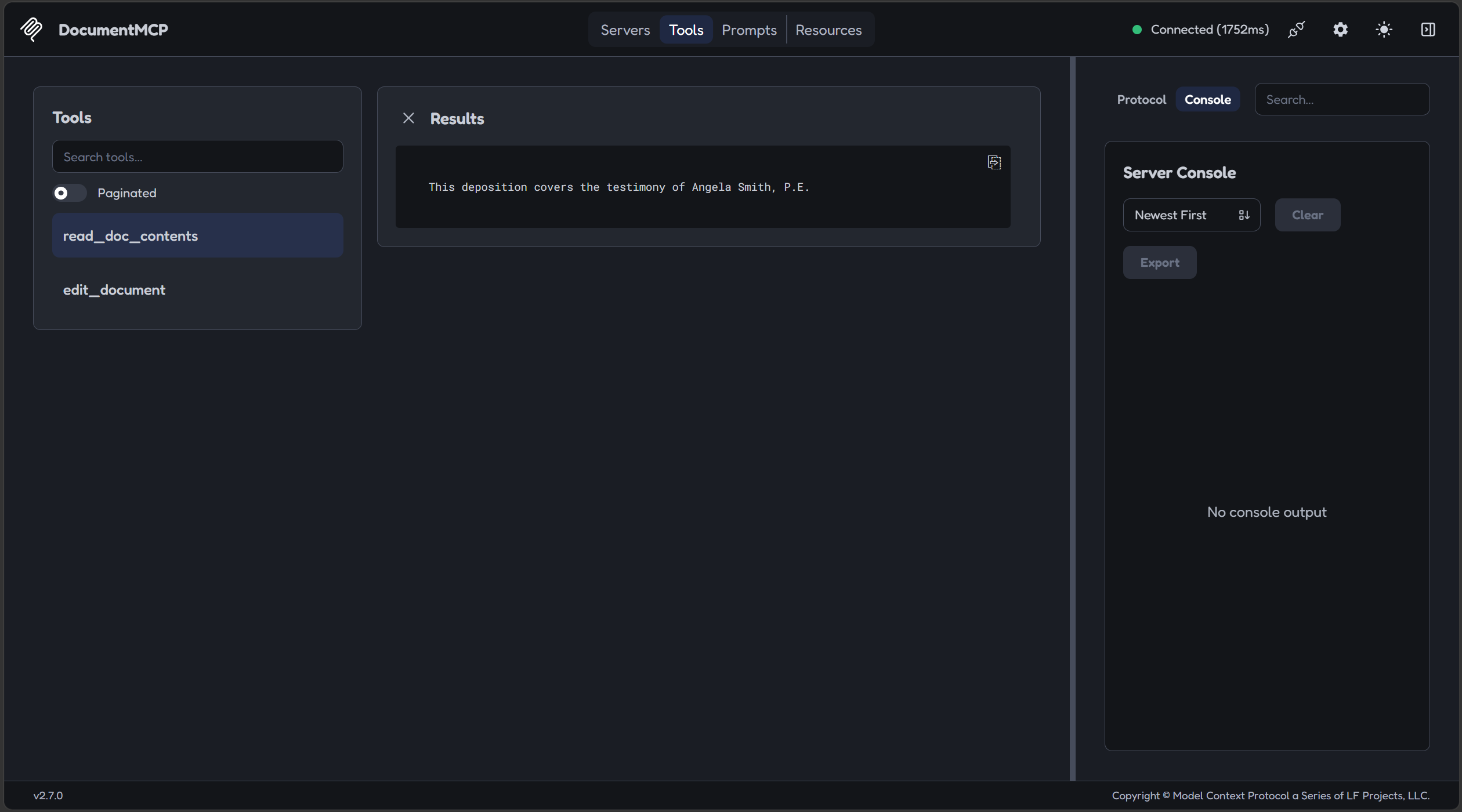
启动以后,自动跳转到网页,记得点击 Connect 开关,启动 MCP 服务器,出现 Connected 之后,就说明启动成功了,此时顶部会出现 Servers、Tools 这四个标签。
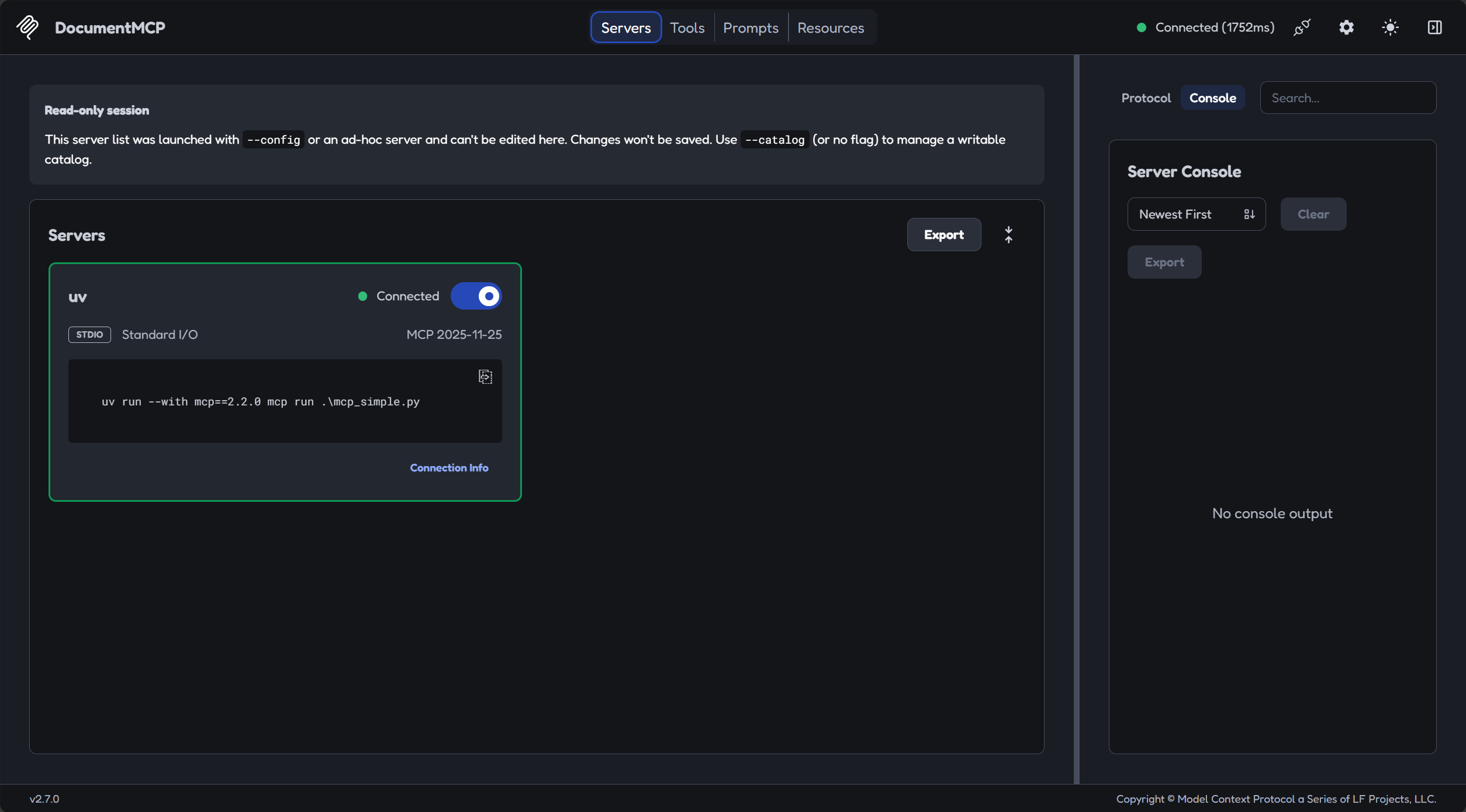
mcp_simple.py 是我一开始起的名字,后面换了,不是出错了。
点击 Tools 标签,进入工具目录
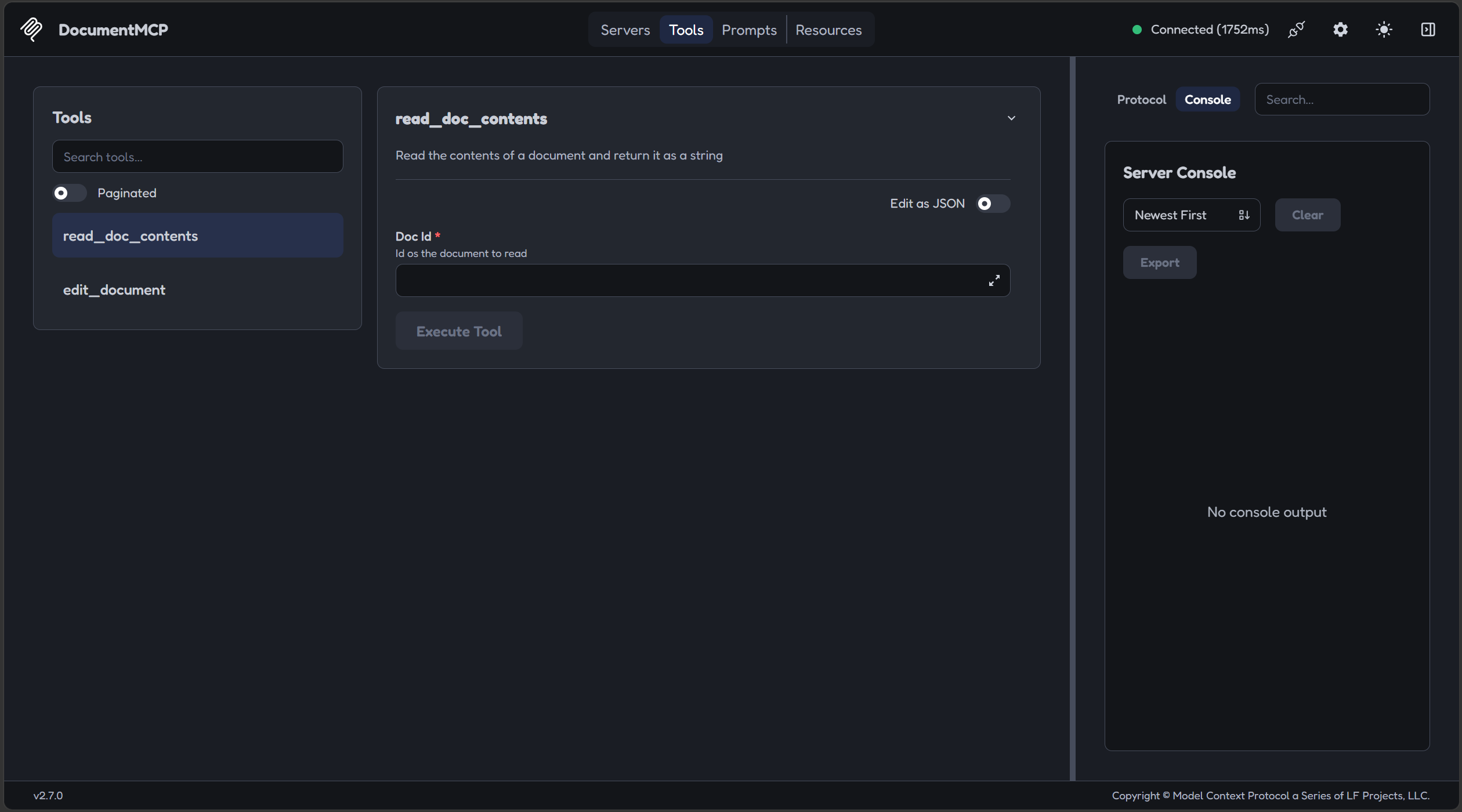
输入一个 doc_id,测试一下工具
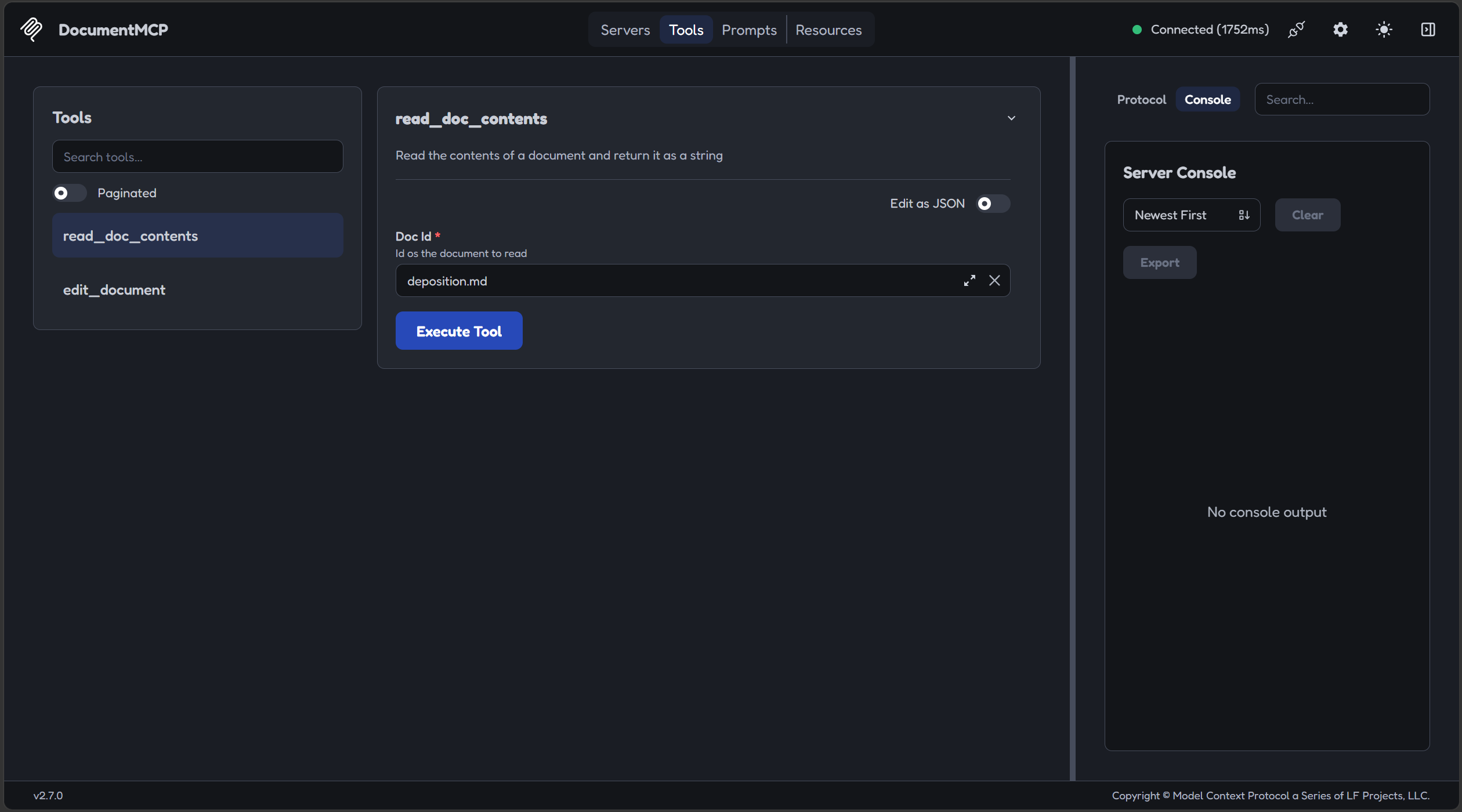
出现内容就说明 MCP 服务器以及工具能够正常使用
定义 MCP 客户端
这部分教程没有详细说,缺少了连接这部分。
先创建一个 mcp_simple_client.py 文件,创建一个 MCPSimpleClient 类:
pythonfrom contextlib import AsyncExitStack

from mcp import ClientSession, types
from mcp.client.streamable_http import streamable_http_client


class MCPSimpleClient:
    def __init__(self) -> None:
        self.session: ClientSession | None = None
        self.exit_stack = AsyncExitStack()

    # 连接服务端
    async def connect(self, url: str):
        # 建立 HTTP 连接,并把断开连接的动作交给 exit_stack 托管
        transport = await self.exit_stack.enter_async_context(
            # http 连接客户端,url 是服务端地址
            streamable_http_client(url)
        )
        # 取出读写通道
        read, write = transport
        # 建立 MCP 会话,交给 exit_stack 管理
        self.session = await self.exit_stack.enter_async_context(
            ClientSession(read, write)
        )
        # 协议握手
        await self.session.initialize()

    # 获取服务端工具列表
    async def list_tools(self) -> list[types.Tool]:
        if self.session is None:
            return []

        result = await self.session.list_tools()
        return result.tools

    # 请求服务端执行工具
    async def call_tool(
        self, tool_name: str, tool_input: dict
    ) -> types.CallToolResult | None:
        if self.session is None:
            return None

        return await self.session.call_tool(tool_name, tool_input)

    # 退出时关闭连接
    async def cleanup(self):
        await self.exit_stack.aclose()
list_tools、call_tool 方法不难理解,均是教程里的方法。connect方法对我来说有点超纲了。
是这样的,如果 MCP 客户端要与 MCP 服务端建立 HTTP 连接,就要使用 streamable_http_client 这个方法,传入服务端的 url 地址。
streamable_http_client这个方法是怎么建立连接的?最基本的,就是使用这样方式:
pythonasync with streamable_http_client(url) as transport:
	read, write = transport
就跟打开文件一样,使用 with 上下文管理器语法,就能够建立连接。但这种方法有个弊端,就是连接只能在上下文(缩进)中,出了上下文连接就断开了。例如我在 connect 方法建立连接,但是 connect 方法执行完了,连接就关闭了,我在 list_tools、call_tool 就拿不到 session。
于是就使用 AsyncExitStack 这个类,注释是:Async context manager for dynamic management of a stack of exit callbacks. 一个用于动态管理退出回调栈的异步上下文管理器,你可以使用它进入多个上下文,并且允许你在其他地方调用这个上下文管理器,获取其中的上下文,控制上下文的退出。可以完美解决上面的问题。
现在就可以解释 connect 方法逻辑了:
pythonasync def connect(self, url: str):
	# 创建一个 streamable_http_client(url) 上下文,建立 HTTP 连接
	transport = await self.exit_stack.enter_async_context(
		streamable_http_client(url)
	)
	# 取出读写通道
	read, write = transport
	# 创建 ClientSession 上下文,建立 MCP 会话
	self.session = await self.exit_stack.enter_async_context(
		ClientSession(read, write)
	)
	# 协议握手
	await self.session.initialize()
等价于下面的写法:
pythonasync def connect(self, url: str):
	 # 创建一个 streamable_http_client(url) 上下文,建立 HTTP 连接
    async with streamable_http_client(url) as transport
        # 取出读写通道
        read, write = transport
        # 创建 ClientSession 上下文,建立 MCP 会话
        async with ClientSession(read, write) as session:
            self.session = session
            await self.session.initialize()
            # 出了上下文会话和连接就会断开
好了,现在可以测试了,我们编写一个主程序 mcp_simple_main.py:
pythonimport asyncio

from mcp_simple_client import MCPSimpleClient


async def main():
    client = MCPSimpleClient()
    try:
        await client.connect("http://127.0.0.1:8000/mcp")
        print("连接成功!")

        tools = await client.list_tools()
        print("可用工具:")
        for tool in tools:
            print(f"  - {tool.name}: {tool.description}")

        # 测试调用 read_doc_contents
        result = await client.call_tool("read_doc_contents", {"doc_id": "report.pdf"})
        print("\n调用结果:")
        print(result)

    finally:
        await client.cleanup()


if __name__ == "__main__":
    asyncio.run(main())
先启动 MCP 服务端:
shellmcp run .\mcp_simple_server.py --transport streamable-http
它不会有任何输出
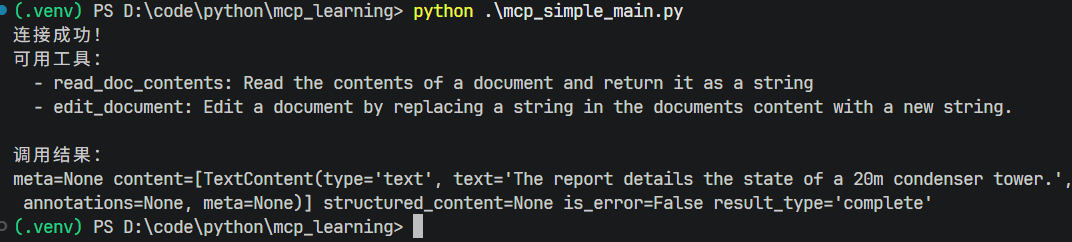
运行主程序:
shellpython .\mcp_simple_main.py
运行结果:
定义与访问资源
Resources(资源)允许 MCP 服务器向客户端公开数据,类似于 HTTP 服务器中的 Get 请求获取资源,适用于只需要获取资源而不需要执行操作的场景,例如代码补全。
教程举了引用文件的例子来说明,当用户输入 @document_name 引用文件时,需要两个操作:
- 获取所有可用的文档列表(用于自动补全)
- 获取引用的特定文档的内容(当被提及时)
当用户引用了这个文档,就需要自动将该文档注入并发送给 Claude,不需要 Claude 执行工具来获取数据。
其原理是客户端发送一个带有 URI 的 ReadResourceRequest 来请求它想要的资源,MCP 服务器会处理此请求并在 ReadResourceResult 中返回数据。
资源有两个类型:直接资源、模板化资源。直接资源有固定、静态的 URI,适合不用参数的操作;模板化资源会在 URI 中包含参数,需要将其作为关键字传递给获取资源的函数中。
在 mcp_simple_server.py 中,追加下面的代码:
python# 定义一个直接资源:文件列表
@mcp.resource("docs://documents", mime_type="application/json")
def list_docs() -> list[str]:
    return list(docs.keys())

# 定义一个模板化资源:文件内容
@mcp.resource("docs://documents/{doc_id}", mime_type="text/plain")
def fetch_doc(doc_id: str) -> str:
    if doc_id not in docs:
        raise ValueError(f"Doc with id {doc_id} not found")

    return docs[doc_id]
资源可以返回任何类型的数据——字符串、JSON、二进制数据等。需要使用 mime_type 参数向客户端提示服务端返回的数据类型:
"application/json"用于结构化数据"text/plain"用于纯文本"application/pdf"用于二进制文件
启动服务端,我这里不知道为什么,使用 mcp dev 命令启动,界面回退到 v1 版了,我使用另一个命令指定版本:
shellnpx @modelcontextprotocol/inspector@latest uv run --with mcp==2.2.0 mcp run .\mcp_simple_server.py
node 版本要大于 22.19.0
启动后,点击 connect 按钮启动服务器,然后点击顶部的 Resources 标签,就可以看到创建的两个资源了,可以调用一下。
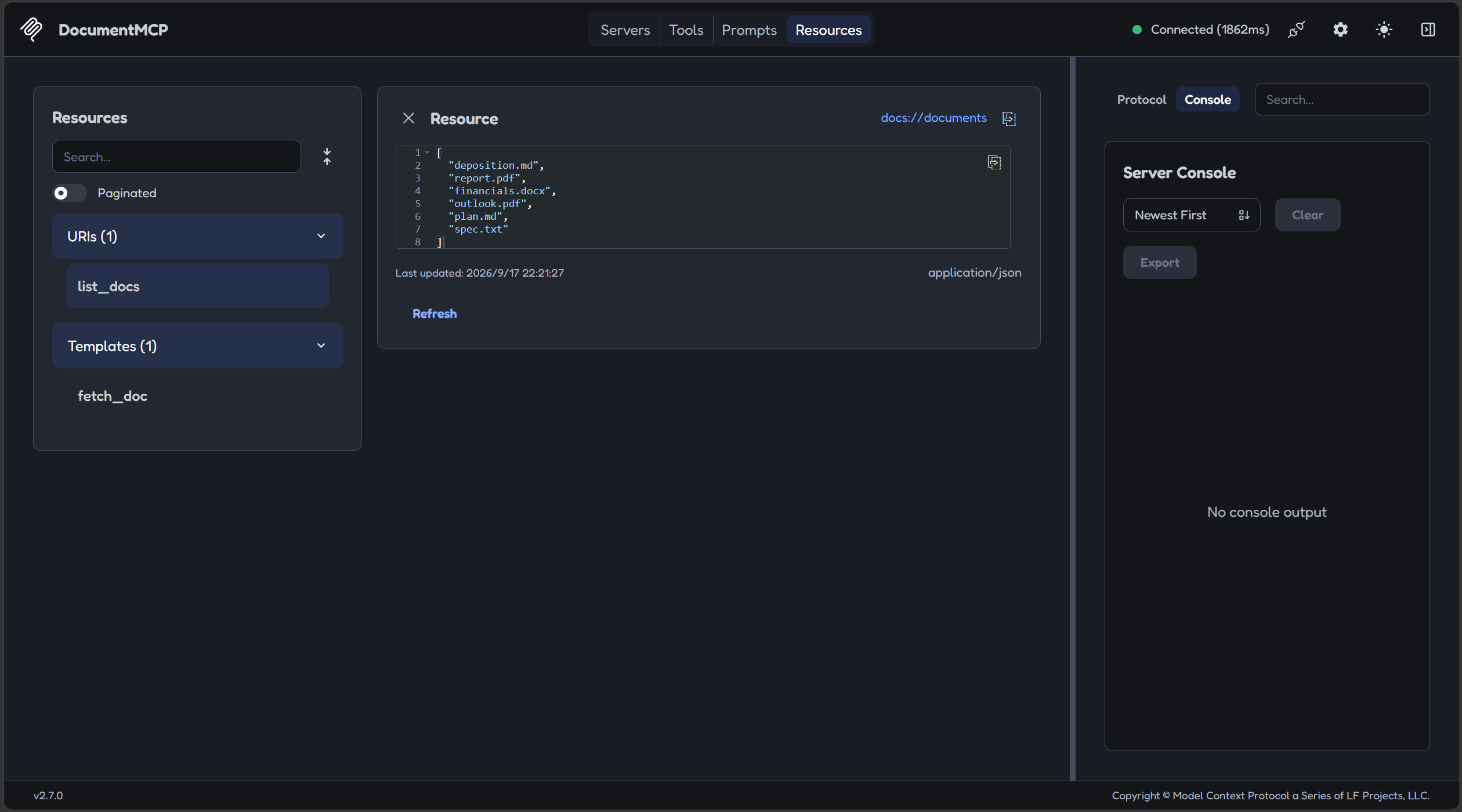
接下来是客户端如何访问资源,方法很简单,就是追加一个方法:
pythonimport json
from typing import Any

# 读取资源
async def read_resource(self, uri: str) -> Any:
	if self.session is None:
		return None
	result = await self.session.read_resource(uri)
	resource = result.contents[0]

	if isinstance(resource, types.TextResourceContents):
		if resource.mime_type == "application/json":
			return json.loads(resource.text)
		elif resource.mime_type == "text/plain":
			return resource.text
	return None
接下来测试一下,先改造一下 mcp_simple_main.py:
pythonimport asyncio

from mcp_simple_client import MCPSimpleClient


async def main():
    client = MCPSimpleClient()
    try:
        await client.connect("http://127.0.0.1:8000/mcp")
        print("连接成功!")

        resource = await client.read_resource("docs://documents")
        print("访问直接资源:")
        print(f"{resource}")

        t_resource = await client.read_resource("docs://documents/deposition.md")
        print("访问模板化资源 deposition.md :")
        print(f"{t_resource}")

    finally:
        await client.cleanup()


if __name__ == "__main__":
    asyncio.run(main())
读取资源需要客户端通过 mime_type 判断类型来对文件内容进行解析。
启动服务端,运行客户端,结果

这种资源访问方式的好处就是:不需要额外工具调用。
定义和获取提示词
这里的提示词,其实就是一套定义在 MCP 服务器的提示词模版,客户端可以调用特定的提示词获取接口,获取对应的提示词模版,将其插入到 LLM 的会话中。
定义提示词的方法很简单,在 mcp_simple_server.py 里,新增一个方法:
python# 定义一个提示词
@mcp.prompt(
    name="format",
    description="Rewrites the contents of the document in Markdown format."
)
def format_document(
    doc_id: str = Field(description="Id of the document to format")
) -> list[base.Message]:
    prompt = f"""
Your goal is to reformat a document to be written with markdown syntax.

The id of the document you need to reformat is:
<document_id>
{doc_id}
</document_id>

Add in headers, bullet points, tables, etc as necessary. Feel free to add in structure.
Use the 'edit_document' tool to edit the document. After the document has been reformatted...
"""
    return [
        base.UserMessage(prompt)
    ]
就是定义提示词特定的 name,类似 id,定义需要传入的关键词参数,将关键词参数插入到模版中,将其以 User 消息的方式返回给客户端。
服务端编写好以后,可以进入 inspector 查看,点击 connect 开启 MCP 服务端后,点击顶部的 Prompt 标签:
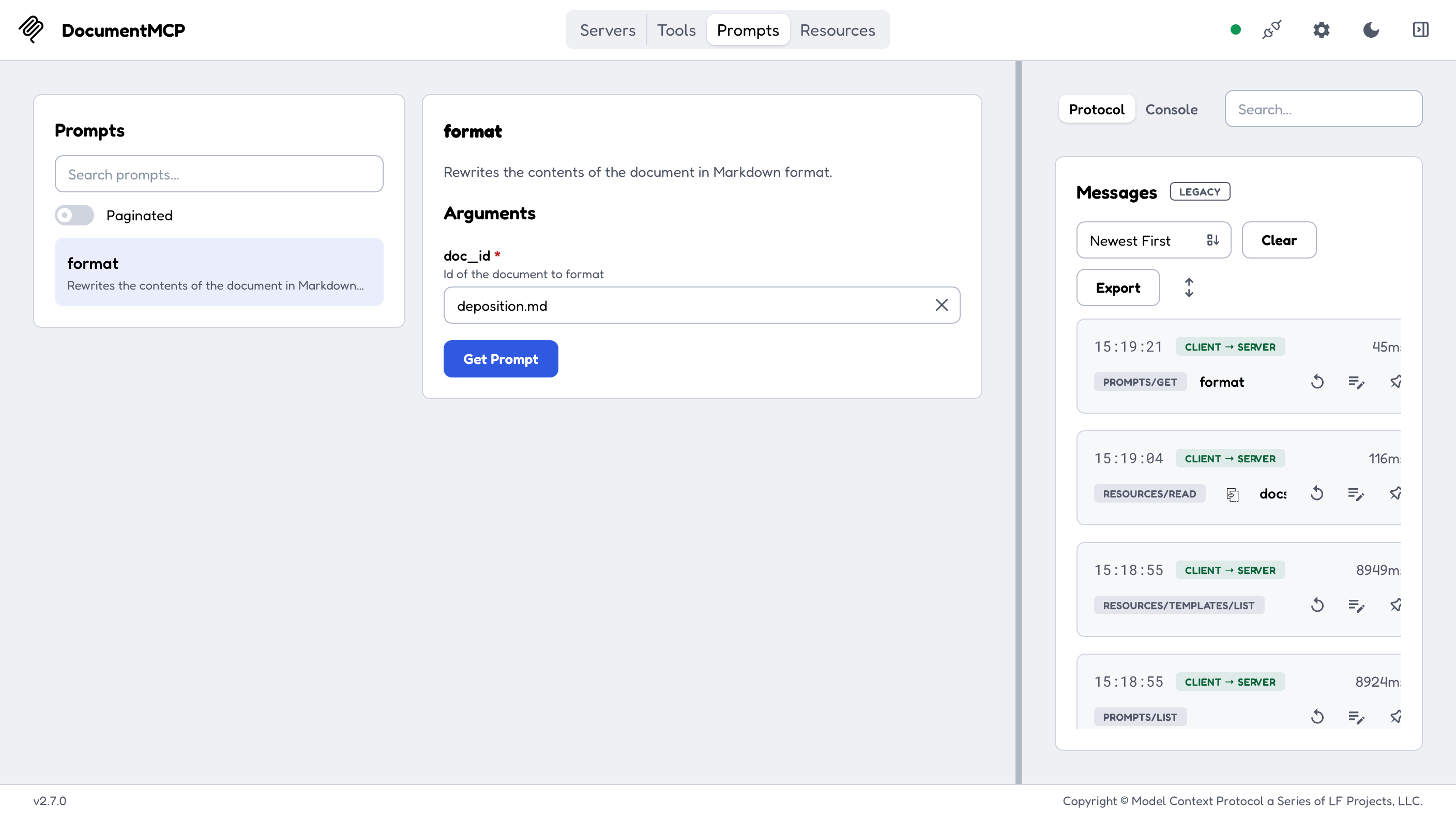
对于客户端,我们需要定义两个方法,一个是获取 MCP 服务器可以提供哪些提示词,另一个就是调用获取提示词的方法,基本和 Tools 一样的操作。编写 mcp_simple_client.py,新增两个方法:
python# 列出提示 async def list_prompts(self) -> list[types.Prompt]: if self.session is None: return None result = await self.session.list_prompts() return result.prompts # 获取单个提示 async def get_prompt(self, prompt_name, args: dict[str, str]): if self.session is None: return None result = await self.session.get_prompt(prompt_name, args) return result.messages
修改一下 mcp_simple_main.py:
pythonimport asyncio

from mcp_simple_client import MCPSimpleClient


async def main():
    client = MCPSimpleClient()
    try:
        await client.connect("http://127.0.0.1:8000/mcp")
        print("连接成功!")

        prompts = await client.list_prompts()
        print("获取提示词列表:")
        print(f"{prompts}")

        prompt_detail = await client.get_prompt("format", {"doc_id": "deposition.md"})
        print("获取提示词 deposition.md :")
        print(f"{prompt_detail}")

    finally:
        await client.cleanup()


if __name__ == "__main__":
    asyncio.run(main())
启动 MCP 服务端,运行 main 程序,结果如下
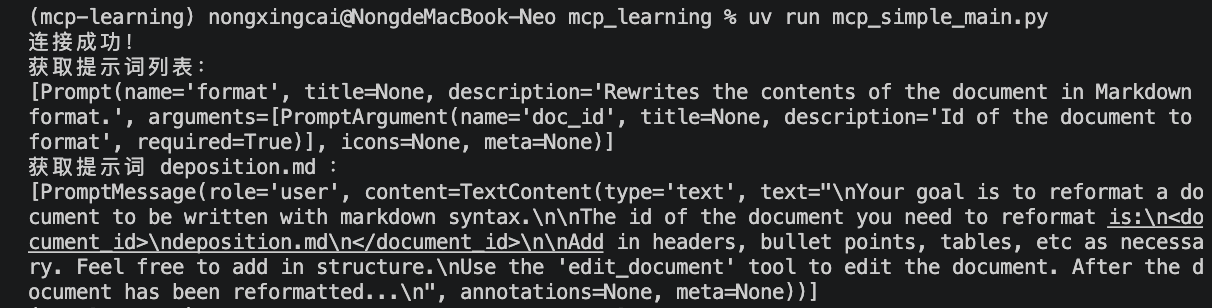
我个时候把项目用 uv 管理了,所以换了一个启动命令。
自此,MCP 介绍这个课程就结束了。
总结
MCP 名为模型上下文协议,目的是为 LLM 提供调用外部服务的规范,让 LLM 可以通过标准、统一的方式调用外部服务。
在本课程中,我们学习了如何使用 Python 定义如下内容:
- MCP 服务端
- MCP 服务端工具
- MCP 客户端
- MCP 资源
- MCP 提示词 还学习了如何调试和启动服务端、客户端如何调用和访问服务端的 MCP 内容。
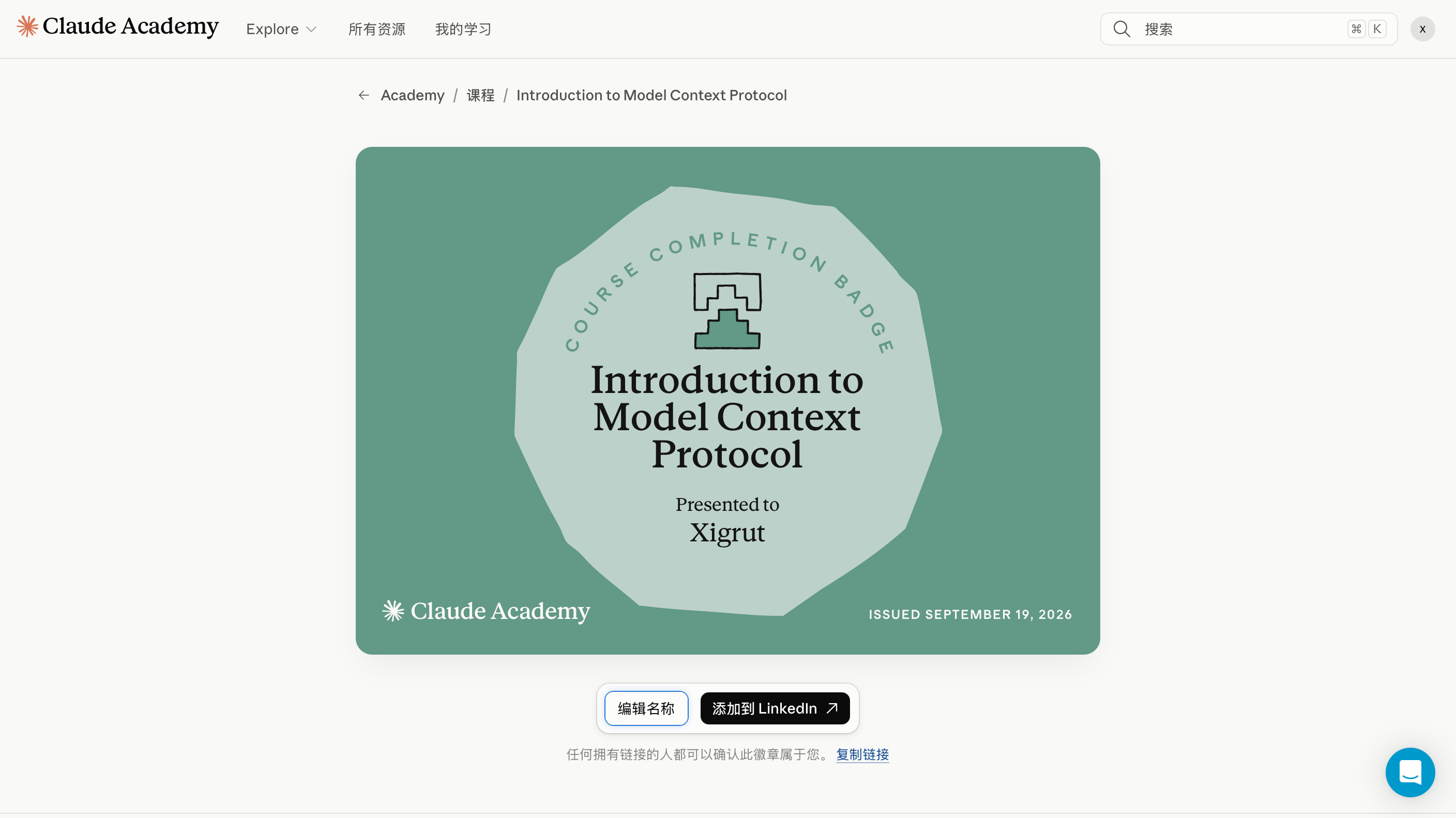
附带一个 Claude 学院的勋章